
Flight Tracking Widget
UX DESIGN
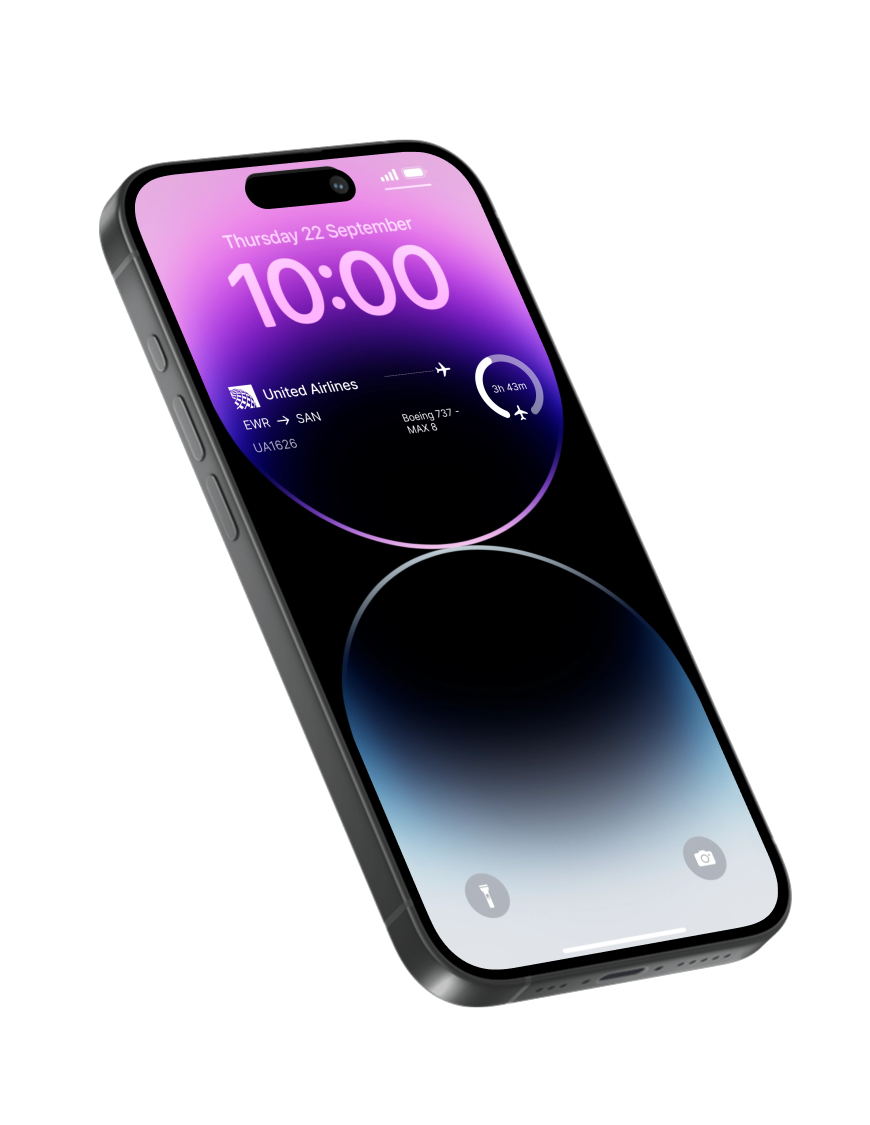
I designed a mobile widget inspired by my favorite flight-tracking app to surface real-time data about aircraft flying overhead. Instead of requiring users to open an app and search manually, the widget automatically displays key information about the closest plane in view making flight tracking faster, more accessible, and seamlessly integrated into everyday moments.
Project Statement
Design a lightweight, glanceable widget that surfaces real-time information about the closest aircraft overhead, reducing the need for users to open a flight-tracking app and enabling quick, effortless access to time-sensitive data.
Overview
I designed a glanceable widget that surfaces real-time information about the closest aircraft flying overhead.
By removing the need to open a flight-tracking app, it enables users to quickly identify planes before they pass out of view.
How it works
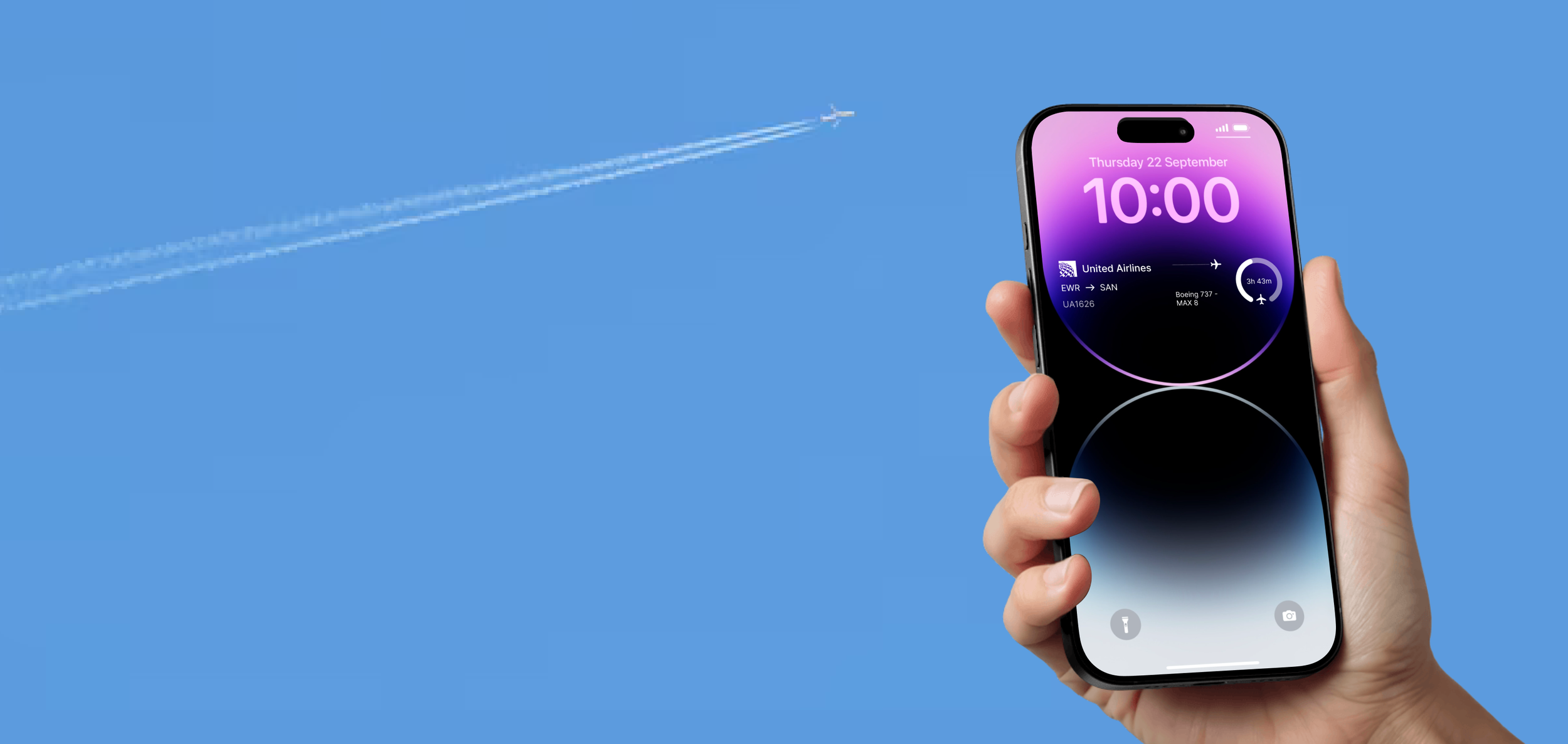
The widget uses real-time location data to detect nearby aircraft and automatically selects the closest plane overhead. It then displays key flight details—such as airline, altitude, and route—in a simple, glanceable format on the lock screen.
Research
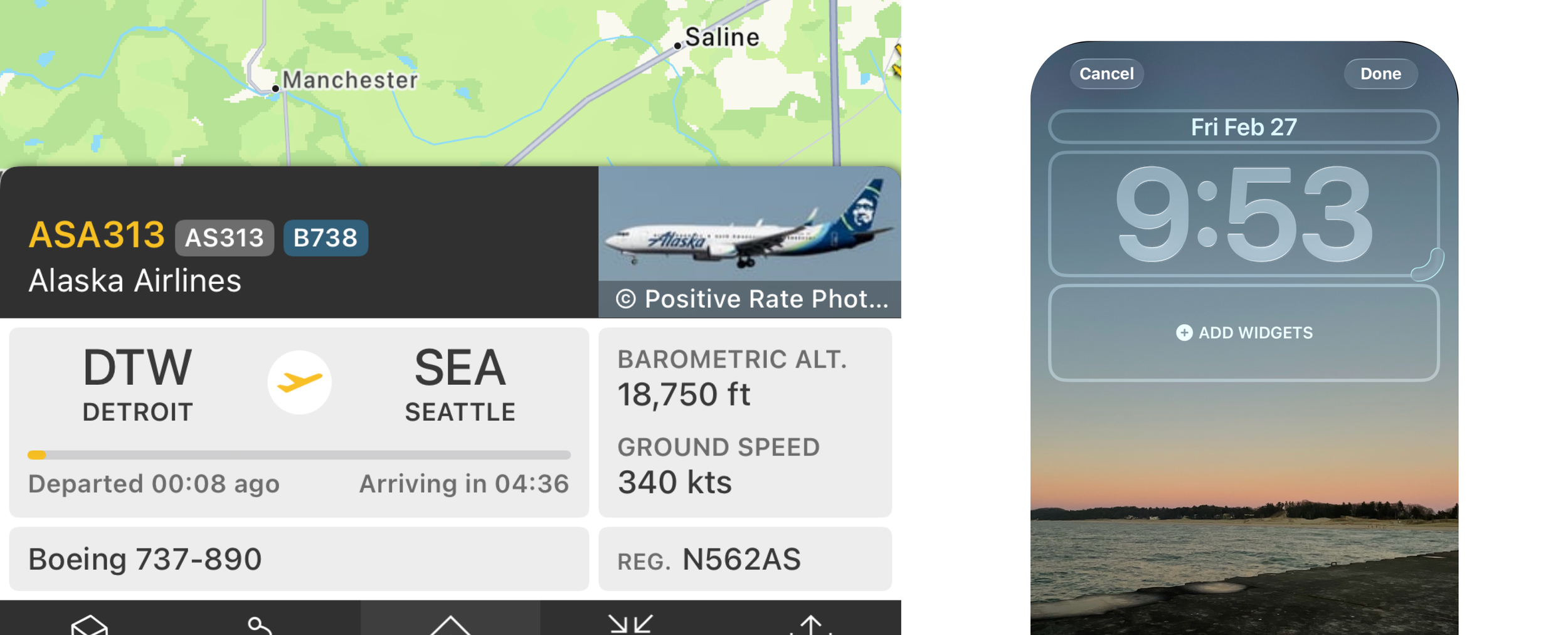
iOS widgets must deliver highly prioritized, glanceable information within strict limits on interactivity, requiring designers to balance immediacy with system constraints.
Designing for iOS widgets introduces a unique set of constraints that significantly shape both the user experience and technical approach. Unlike full applications, widgets are built for glanceability and must deliver value within seconds. This means content has to be highly prioritized, simplified, and readable at a distance, often within very limited space and across multiple widget sizes. Additionally, iOS widgets are not fully interactive—users cannot freely navigate or input data—so every design decision must focus on passive consumption and quick recognition rather than engagement.
Goals and requirements
Display the correct data and zero in on constraints.
Design a glanceable iOS widget that surfaces the most relevant, time-sensitive flight data within system constraints, enabling users to quickly identify aircraft overhead.
Goal: Allow users to quickly identify aircraft flying overhead without opening an app.
Requirement: Surface the closest plane’s key details in a clear, glanceable format that can be understood within seconds.
Goal: Create a seamless experience that fits naturally into the iOS widget ecosystem.
Requirement: Design within system constraints, including limited interactivity, size variations, and restricted background updates.
Sketches
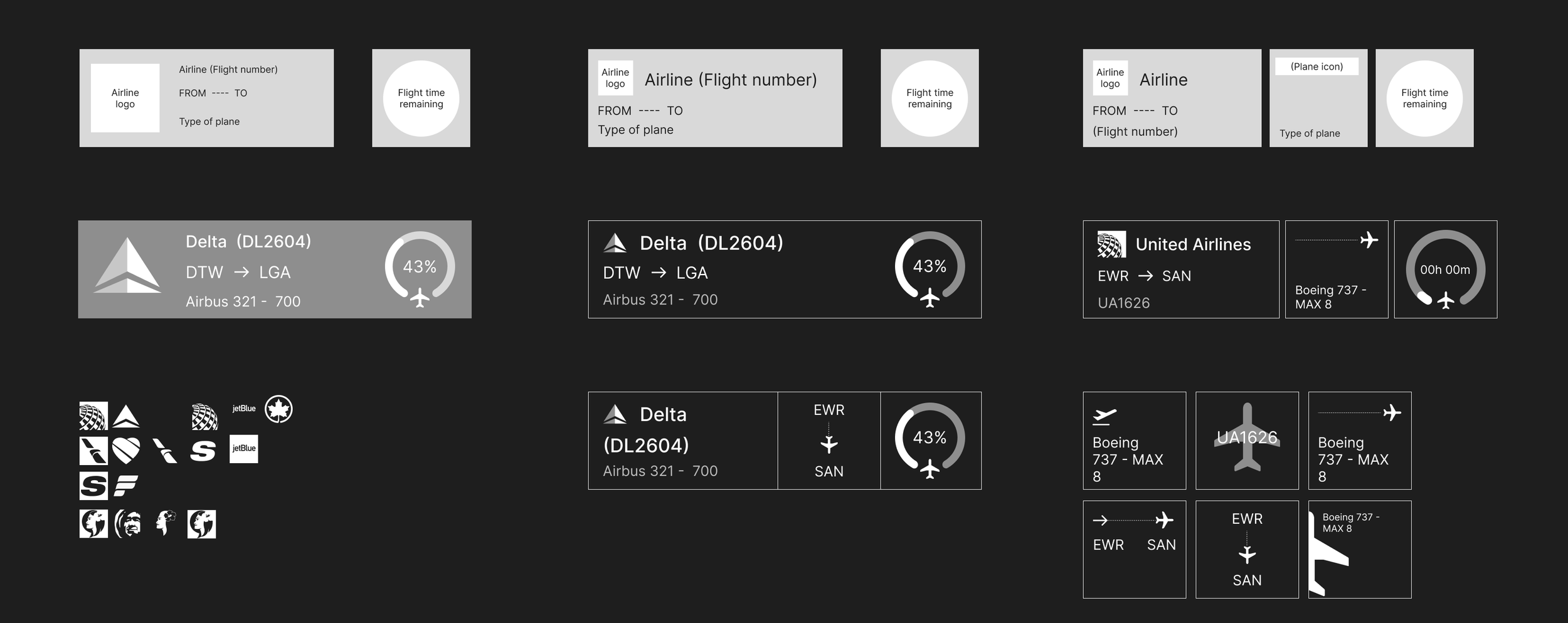
One problem I came across with my first 2 designs was that the airline name plus flight number were often way too long for the space given for the larger widget. So, in my third design I decided to take advantage of the second smaller widget and move the type of plane to that section. I decided to move the plane type because that is secondary information that not everyone may be interested in. By making this its own widget, users will not have the choice to display it or not.
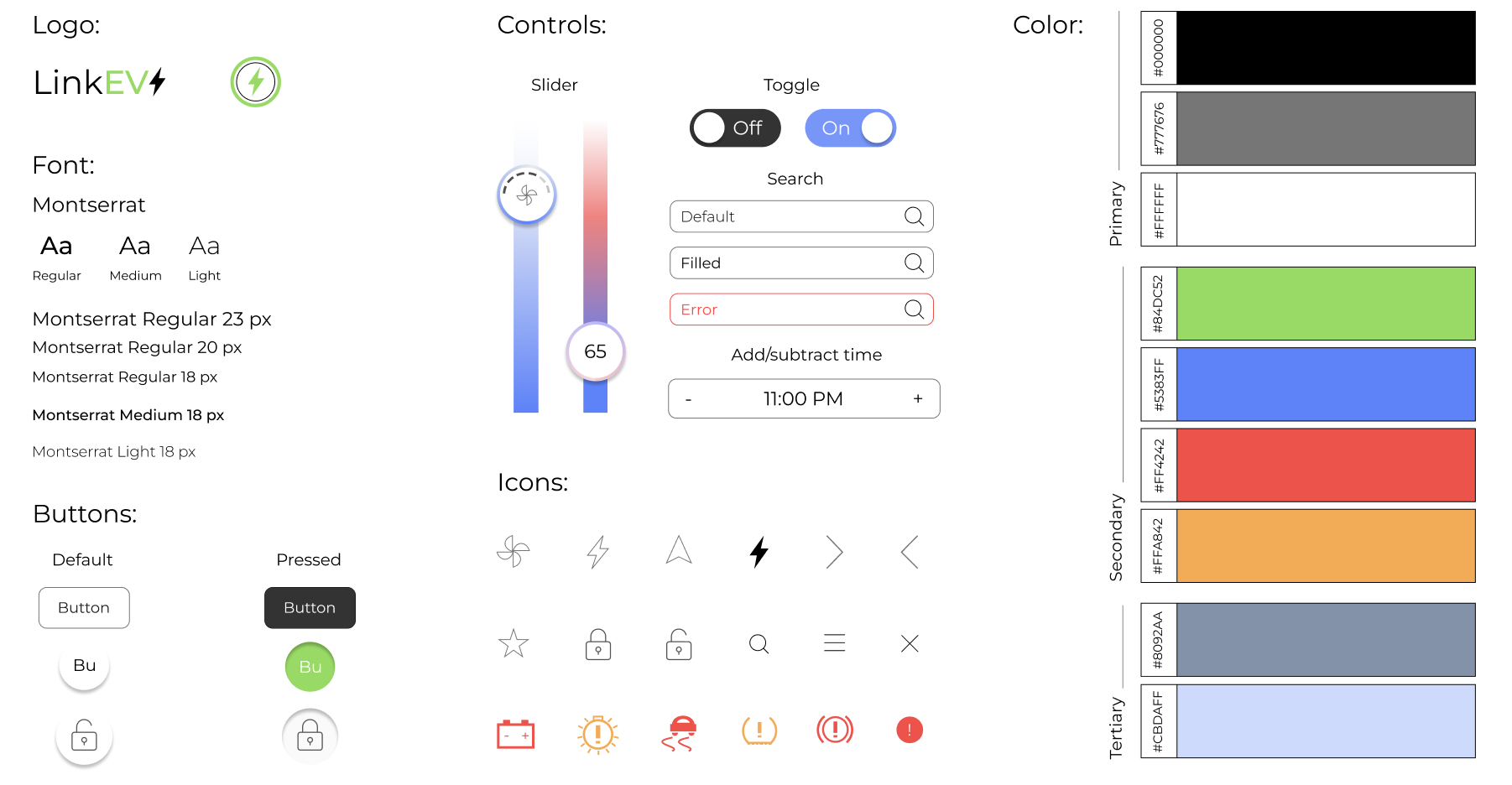
Style guide
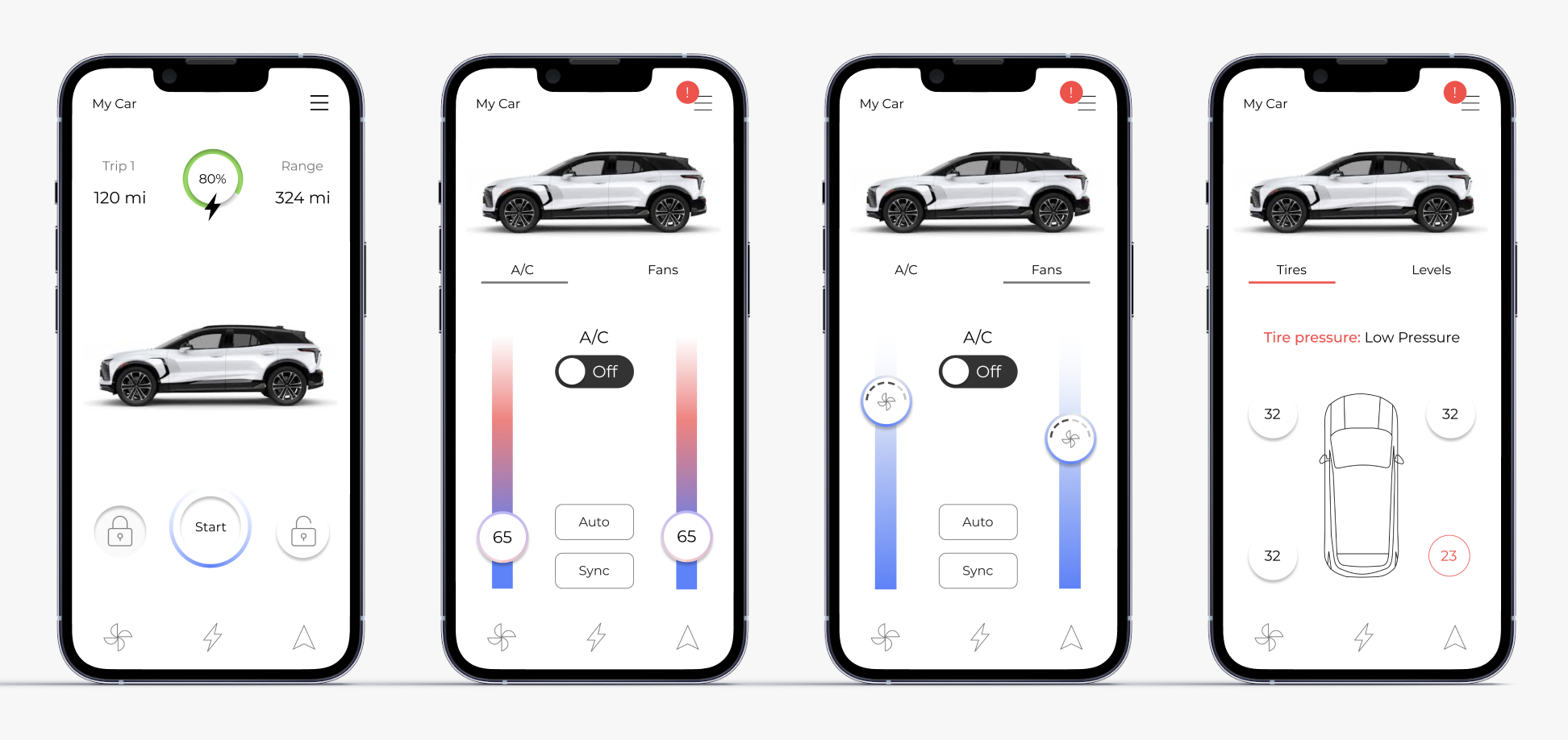
Final design
Product summary
LinkEV brings real-time EV insights and remote control together in one app, making it easy to manage charging, vehicle health, comfort settings, and navigation on the go.
How it works
For my final design, I created a car connected app that allows users to use their phones as a fob, hand book and more. By allowing this information to be readily available even when drivers aren’t in the car, EV owners can stay up to date with their vehicles as well as learn more about their driving habits and how they use their charge. With the easy to understand design, LinkEV welcomes old and new EV users to look more into their cars and learn more about all the amazing features they have to offer.

2 months | Individual
Project reflection
After spending weeks on this project, I am very proud of the way it turned out. It was fun working on and researching a topic I enjoy and was very excited to show it to my family. Throughout this process I did my best to learn everything I could, using the resources I had available, and I am happy with the overall outcome.
I would be interested in going back and making some edits after gaining some professional experience at General Motors the following summer. I did a lot of work similar to this and got to contribute some of their own vehicle connected apps. I think if I went back and used some of the research and design skills I learned during my time there, I could make some changes that would take this design to the next level.