
LinkEV
PRODUCT DESIGN | UX DESIGN
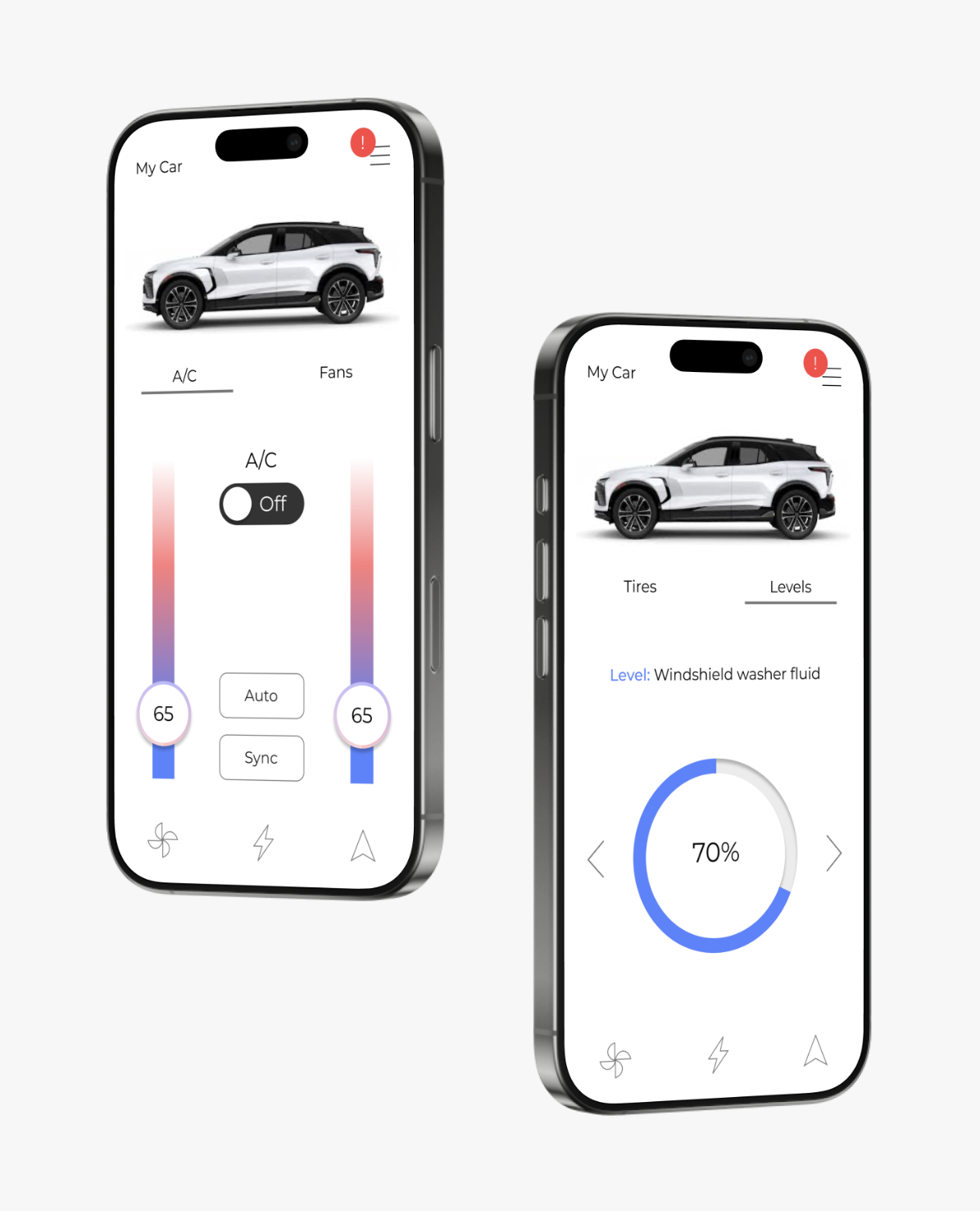
LinkEV helps new EV owners feel confident and in control by breaking down complex vehicle information into simple, easy-to-understand guidance. From explaining how your EV works to teaching you how to use its unique features, the app makes learning effortless so you can get the most out of your electric driving experience.
Project Statement
New EV users who are unfamiliar with their EV’s need an easy, digestible way to learn about how they work and what they need while also learning how to navigate and utilize the special features they have to offer.
Overview
LinkEV is a vehicle connected app that helps with the learning curve with new EV users by simplifying data while also keeping up with its status.
By making this data more accessible, EV users are able to adjust quicker and get the most out of their cars.
How it works
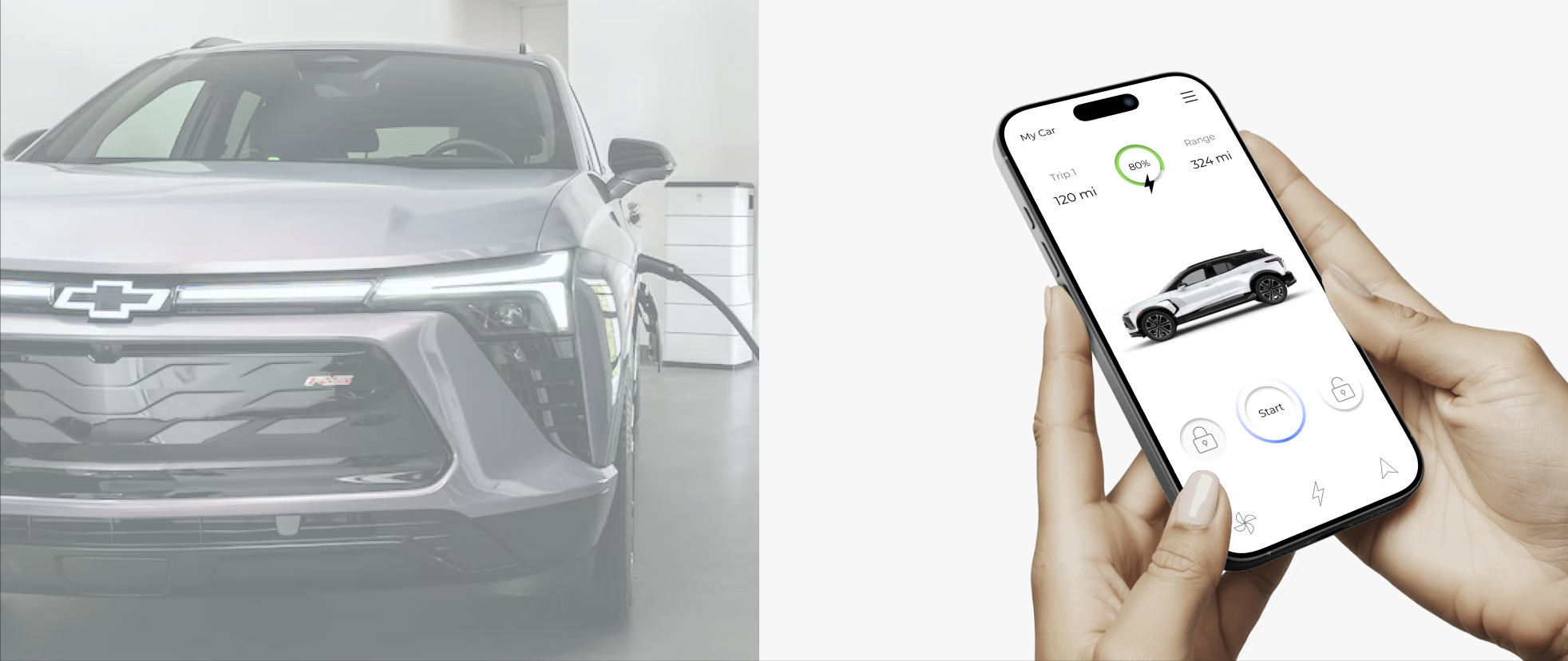
LinkEV connects to your vehicle and simplifies the data allowing users to keep tabs on their car from anywhere. Check your battery, start your car, and even see what maitnesnce it might need without even having to step into your car.
Research
LinkEV gives drivers access to their car’s data anytime, anywhere… but not everyone knows how to make the most of it.
As someone who grew up in a car family, there were never ending lessons about car health and how to drive. However, a lot of these lessons also had to do with electric cars since more often than not it was my dad giving these lessons and he loves electric cars. With companies today starting to focus more on electric vehicles, it’s important to remember that not everyone was taught how to drive and or care for them (especially newer drivers). And if there was one thing I learned, it’s that EV’s display a lot more information which is only useful when it is understood.
Competitive review
Lots of car connected apps exist, however not everyone knows what to do with the data.

The main things I was looking at were what controls were included within these connected apps, and how certain information was displayed. Some examples I looked at included Toyota, Tesla, and BMW. I noted what I thought worked and what didn’t design wise and then moved on to my wireframes. The main issue I noticed in these were how cluttered some of them were. I felt that they were trying to display too much unnecessary information on the main page making it frustrating to complete simple tasks.
Goals and requirements
Keep it simple, informative, and beginner friendly.
After wrapping up the competitive analysis, I was able to look back at my problem statement and come up with some goals and requirements for my final product. By setting these early in my process, I am able to make sure that these points get covered and remain the focus of the product.
Goal: Give users a way to connect to their cars and access their stats from their mobile devices.
Requirement: Make sure the app is synced and is constantly updated with real time car status.
Goal: Teach users about their EV driving habits and how to monitor battery health.
Requirement: Highlight their driving habits while keeping the information easy to read and offering more details on what it all means.
Goal: Give users easy to use features that help them get the most out of their EV experience.
Requirement: Provide clear instructions as well as a simple app interface that is also accessible.
App userflow

Sketches
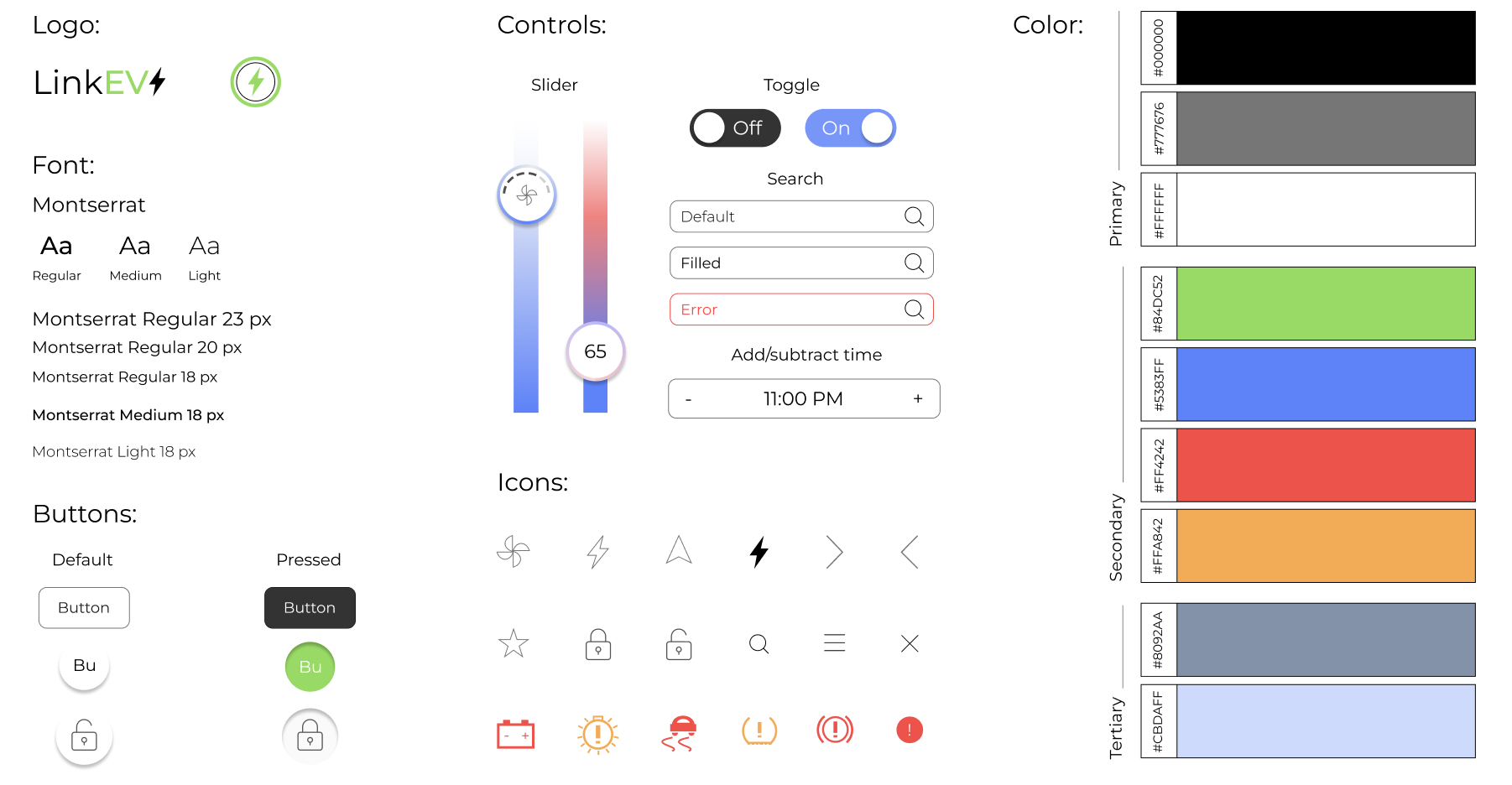
Sleek yet informative design that keeps data the focus of the interface but also easy to read and understand.
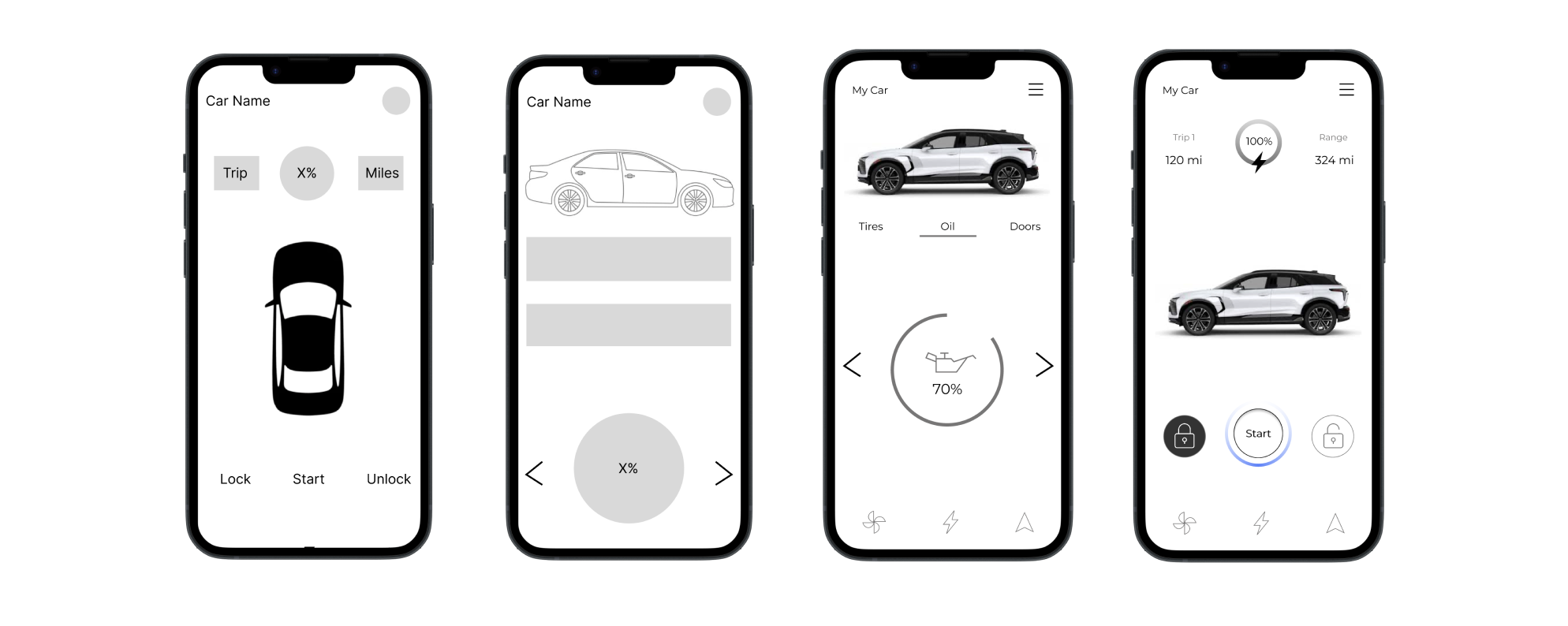
Once I had an idea of all the screens and paths I needed to design, I started with my lo-fi wires. I find that this is one of the most important steps when it comes to creating a hi-fi prototype. By keeping the design this simple in the early stages, it is easier to focus on usability and placement of content while also trying out multiple approaches.
Style guide
Final design
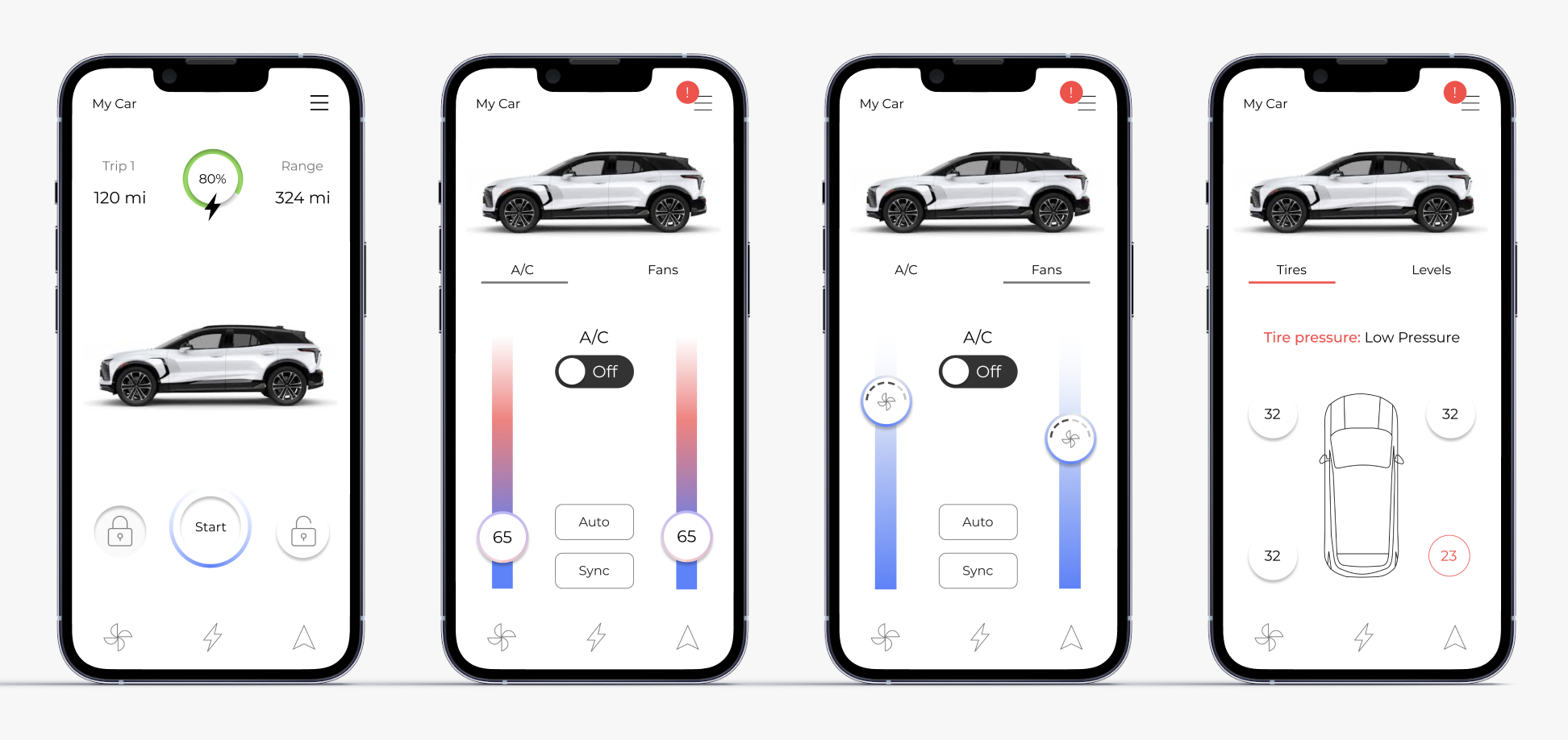
Product summary
LinkEV brings real-time EV insights and remote control together in one app, making it easy to manage charging, vehicle health, comfort settings, and navigation on the go.
How it works
For my final design, I created a car connected app that allows users to use their phones as a fob, hand book and more. By allowing this information to be readily available even when drivers aren’t in the car, EV owners can stay up to date with their vehicles as well as learn more about their driving habits and how they use their charge. With the easy to understand design, LinkEV welcomes old and new EV users to look more into their cars and learn more about all the amazing features they have to offer.
2 months | Individual
Project reflection
After spending weeks on this project, I am very proud of the way it turned out. It was fun working on and researching a topic I enjoy and was very excited to show it to my family. Throughout this process I did my best to learn everything I could, using the resources I had available, and I am happy with the overall outcome.
I would be interested in going back and making some edits after gaining some professional experience at General Motors the following summer. I did a lot of work similar to this and got to contribute some of their own vehicle connected apps. I think if I went back and used some of the research and design skills I learned during my time there, I could make some changes that would take this design to the next level.